How can I manage file and folder permissions in cPanel?

 
Managing file security is a straightforward process that can be performed directly from the control panel. Follow these steps to configure access correctly:


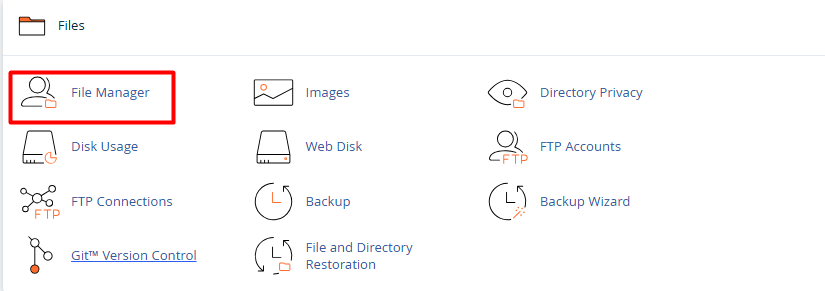
1. Once logged in, go to the Files section and select the File Manager icon.
 

admin.png


2. Navigate through the directories (usually inside the public_html folder) and select the file or folder to be updated.
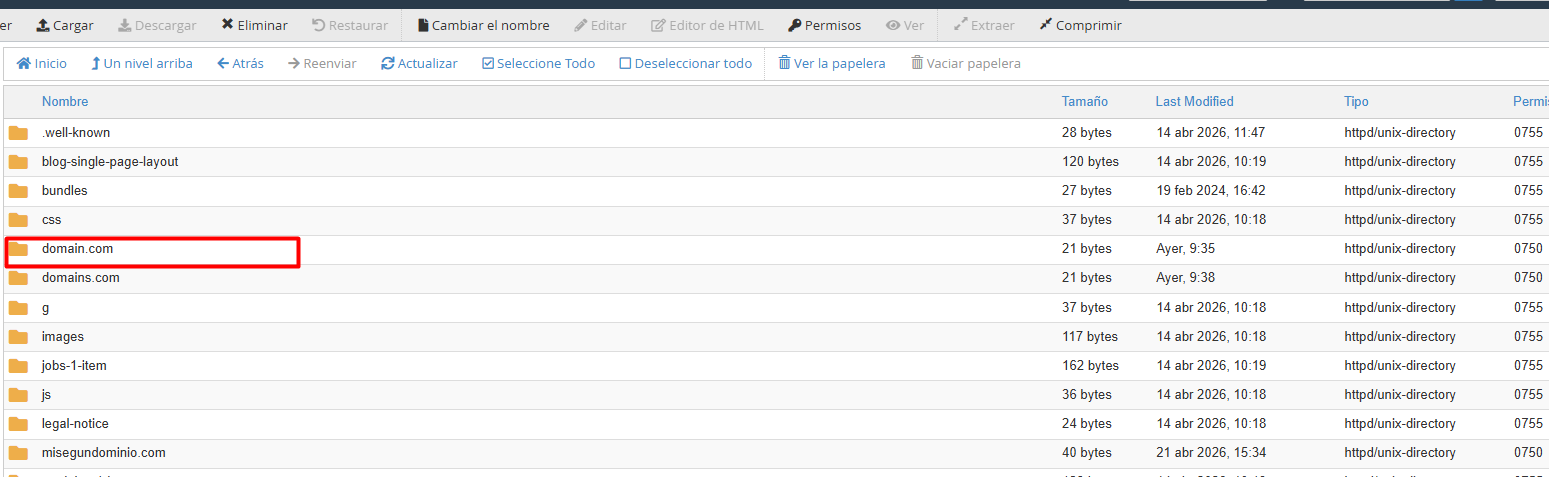


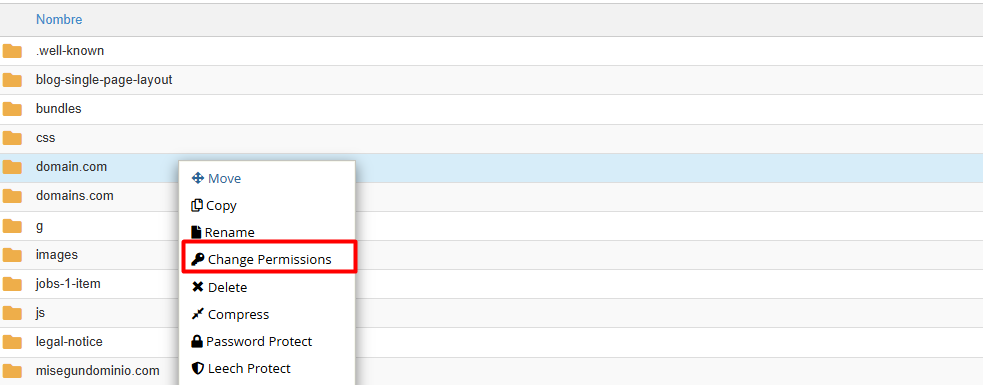
3. Access permission settings: This can be done in two ways:


3.1. Right-click the item and select Change Permissions.


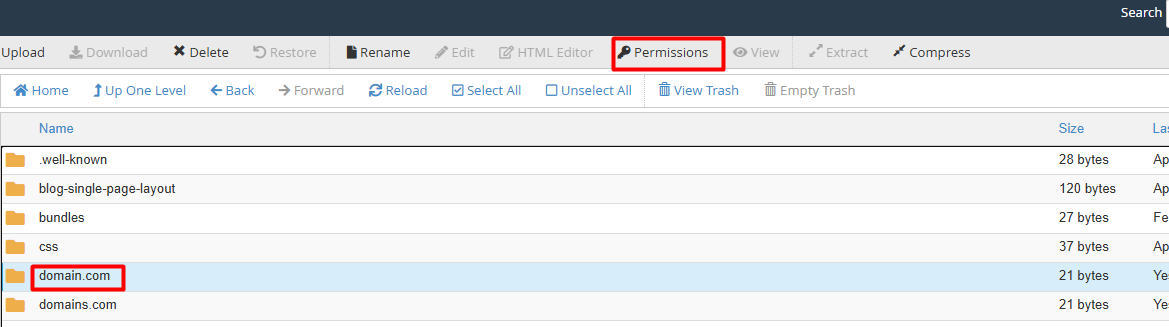
3.2. Select the item and click the Permissions button in the top toolbar.


4. Define access levels: A window will appear where boxes can be checked based on the user type:


4.1. User (Owner): Personal management permissions.


4.2. Group: Access for other users on the server.


4.3. World (Everyone): Permissions for any external visitor.
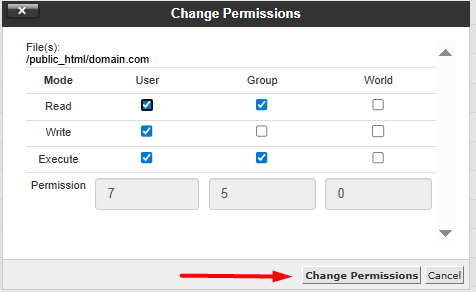


5. Once configured, click the Change Permissions button to save the new settings.

 
Notes: To ensure the website remains secure and functions correctly, the use of industry standards is suggested:

Directories and Folders: The recommended code is 755 (allows the owner full control, while others can only read and execute).

Individual Files: The recommended code is 644 (allows the owner to read and write, and others to read only).

Security Warning: Avoid assigning 777 permissions. This setting grants full control to any user, posing a critical vulnerability to the server's integrity.

  • 0 Users Found This Useful
Was this answer helpful?

Related Articles

How can I connect to my cPanel via FTP using WinSCP?

  Connecting your website with WinSCP is a quick and secure process. Follow these three steps to...

How do I upload files using the File Manager?

  Uploading your documents to the platform is a quick and simple process. Follow these steps to...

How to create, edit, and delete files in cPanel?

  Managing files through a File Manager (commonly used in control panels like cPanel) is a...

How can I create an FTP account in cPanel?

  Setting up FTP access is the most secure way to manage files in specific folders on your...

What is the File Manager in cPanel and what can I do with it?

  The File Manager is a fundamental tool within the cPanel interface that allows you to manage...