
To ensure your visitors always browse securely, you can automate the HTTPS redirection by editing the .htaccess file in your cPanel. Follow these steps:
1. Inside your cPanel, go to the public_html folder.
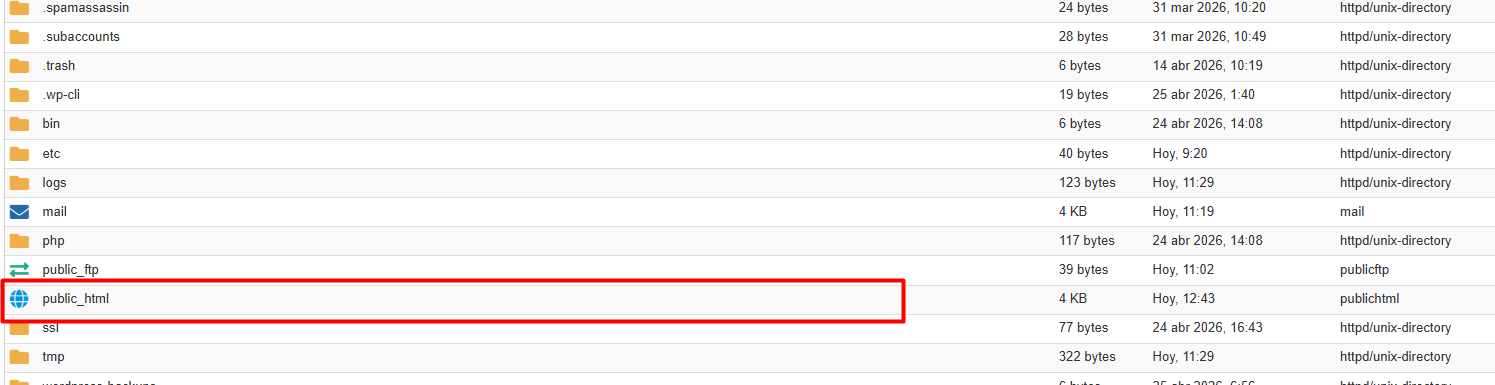
2. Locate the .htaccess file: If it is not visible, click on Settings (top right corner) and check the box "Show Hidden Files (dotfiles)".
3. Right-click the file, select Edit, and paste the following snippet at the very beginning, above any existing rules:
RewriteEngine On
RewriteCond %{HTTPS} off
RewriteRule ^(.*)$ https://%{HTTP_HOST}%{REQUEST_URI} [L,R=301]
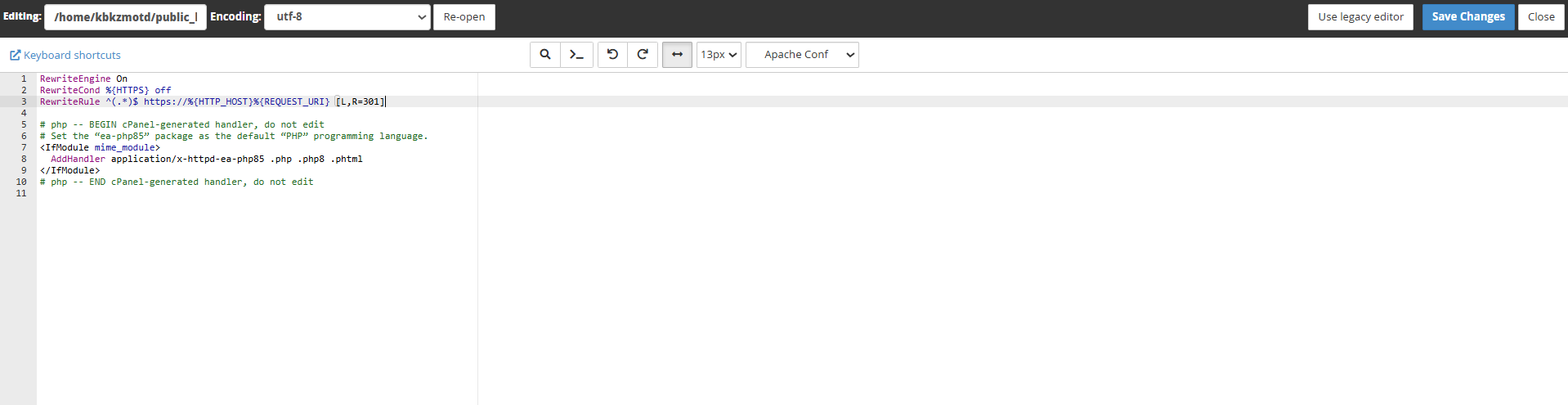
4. Once applied, the server will automatically redirect any insecure connection attempts.
Security Note:
Before making this adjustment, verify that you have an active SSL certificate (such as Let's Encrypt). If the certificate is not correctly installed, your website will show a privacy error to users.
We recommend making a backup copy of the .htaccess file before performing any modifications.
