
1. Log in to your cPanel with your credentials.
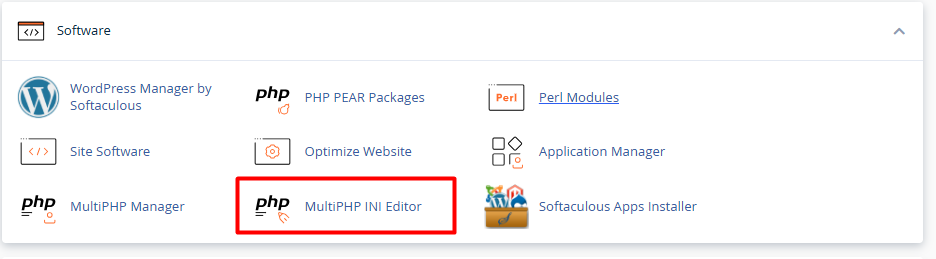
2. Locate the Software section and click on MultiPHP INI Editor.
3. At the top, click on the tab that says Editor Mode.
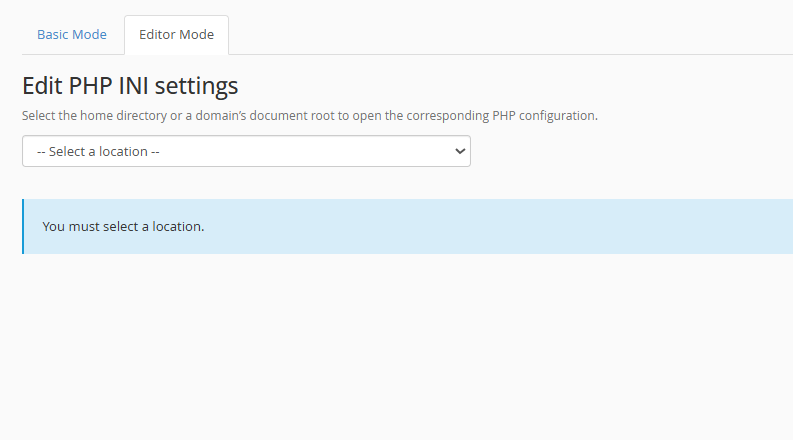
4. In the dropdown menu, select the domain or subdomain you wish to configure.
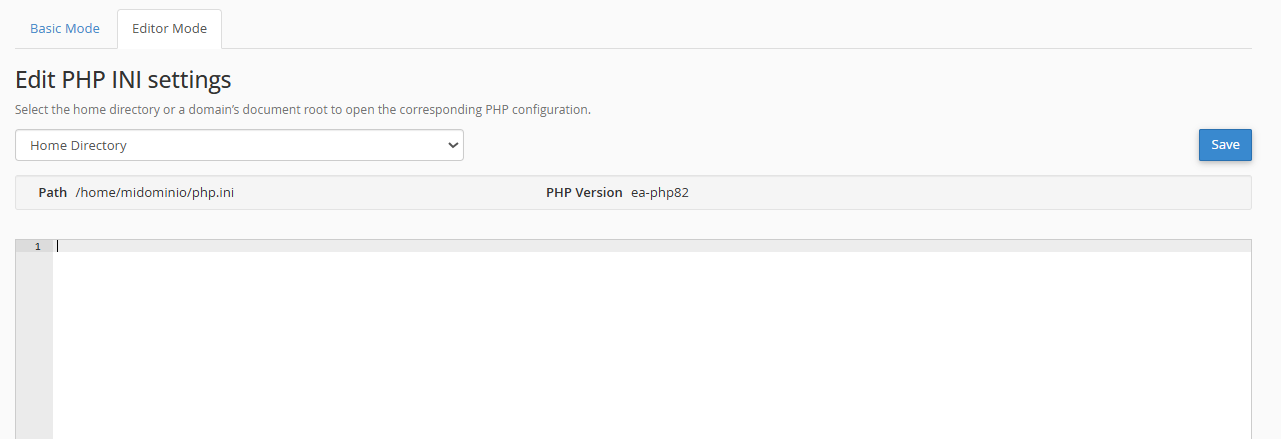
5. A text box will open with your current configuration. You can delete what is not needed or directly paste the values you require:
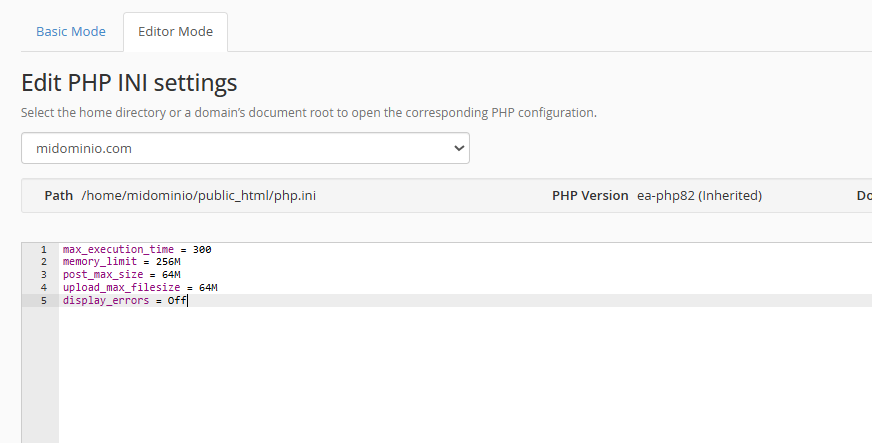
6. Click the blue Save button located in the top right corner. That’s it! The changes will take effect immediately.
memory_limit = 256M
post_max_size = 64M
upload_max_filesize = 64M
display_errors = Off
• Avoid duplicate lines: When pasting new code, make sure there aren't two lines configuring the same thing (for example, two instances of memory_limit). If there are duplicates, the server usually only follows the last line written, which can cause confusion if you try to raise a limit and a line further down lowers it again.
• Using the semicolon (;) for comments: If you want to "turn off" a directive without deleting it for future use, place a semicolon (;) at the beginning of the line. The server will ignore everything after the ;. This is very useful for leaving notes such as: ; Increased for site migration on 04/20/26.
