How to create a Cron Job?

 
cron job is simply an automated task that runs on a server at specific time intervals. You can configure them to create: backups, bulk emails, or synchronization (example:, inventory updates). To create a cron job (scheduled task) in cPanel, follow these direct steps: 

1. Log in to your cPanel account.
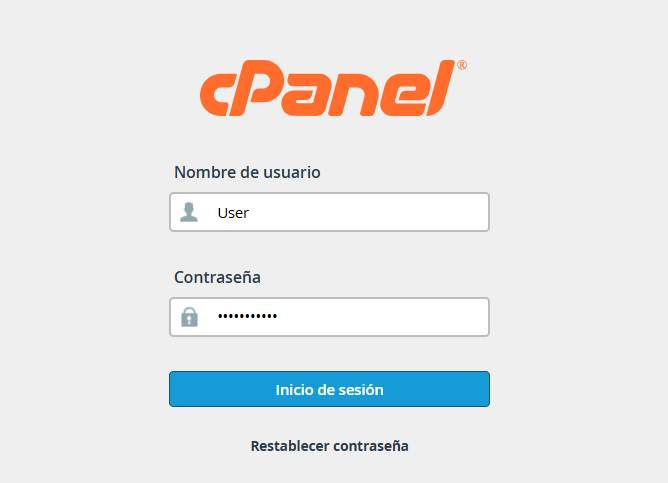


2. Scroll down to the Advanced section and , click on the Cron Jobs icon.



3. Configure Email (Optional)


3.1. In the Cron Email section, you can enter an email address to receive a notification every time the task runs.

Note: If the task runs very frequently (e.g., every minute), it is better to leave it blank or disable it to avoid cluttering your inbox.
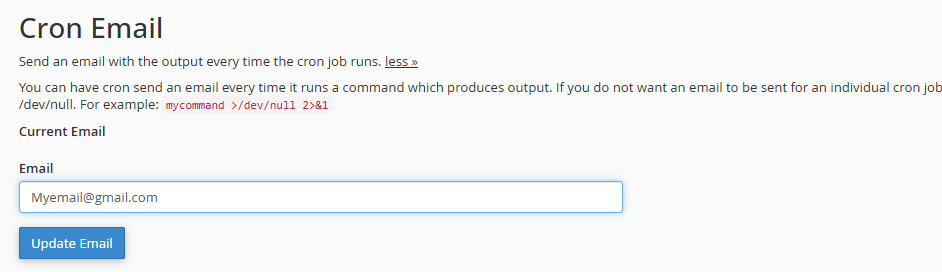


4. Define the Frequency


4.1. Look for the Add New Cron Job section.


4.2. Use the Common Settings drop-down menu to choose predefined intervals, such as "Once Per Hour" or "Every 5 Minutes."


4.3. If you need something specific, you can manually fill in the fields: Minute, Hour, Day, Month, and Weekday.
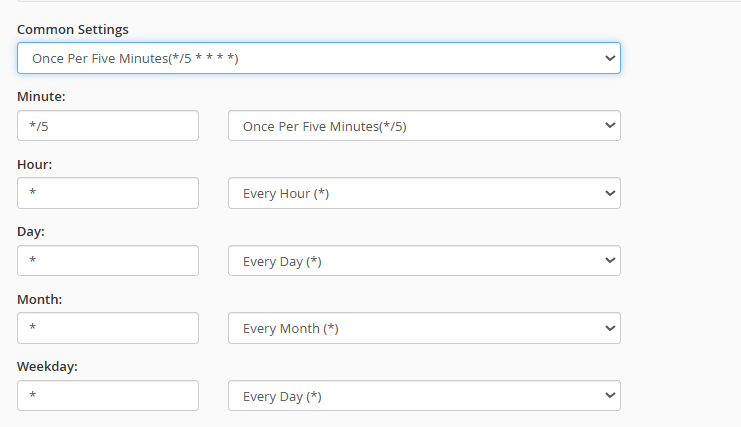


5. Enter the Command


5.1. In the Command field, type the instruction you want to execute. 

 

jobs3.png

 
Common Examples:
 
 
For a PHP email script to send every 5 minutes:

For a PHP script:  /usr/local/bin/php -q /home/YOUR_USER/public_html/your_file.php (You must replace YOUR_USER with your cPanel username and your_file.php with your actual file name)


Note: To prevent notification emails (if you didn't configure the email), add >/dev/null 2>&1 to the end of the command. 

  • 1 Users Found This Useful
Was this answer helpful?

Related Articles

How to create and configure your .htaccess file?

  The .htaccess file is a powerful tool for managing your site's security and redirection....

How can I assign different PHP versions to my domains?

  If you manage multiple projects on a single account and need each domain or subdomain to run...

How can I change PHP values (limits, execution time, errors) using "MultiPHP INI Editor" (Basic Mode)?

  Here we will explain how to transcribe and adjust these values using the "MultiPHP INI Editor"...

How can I force the use of SSL (HTTPS) via the .htaccess file?

  To ensure your visitors always browse securely, you can automate the HTTPS redirection by...

How can I password protect my folders in cPanel?

  Ensuring the security of your information is simple. Follow this step-by-step guide to...