How to add an Addon Domain?

 
Setting up an addon domain is a simple process. Follow these steps to have your new site ready in minutes:


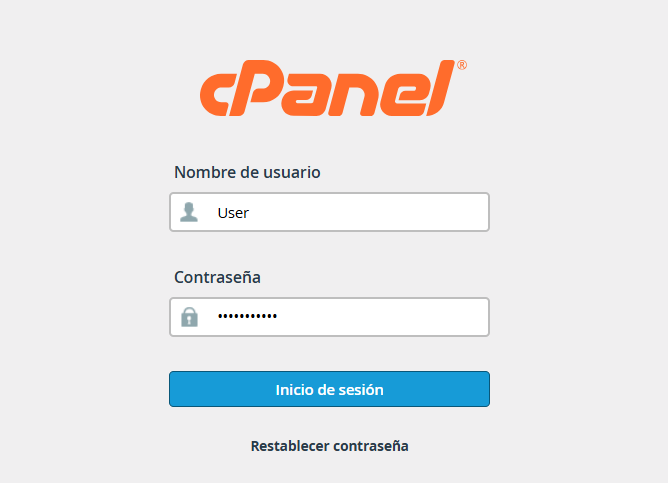
1. Log in to cPanel with the credentials sent to you..


2. Locate the "Domains" section and click on the corresponding icon.

 

domain3.png

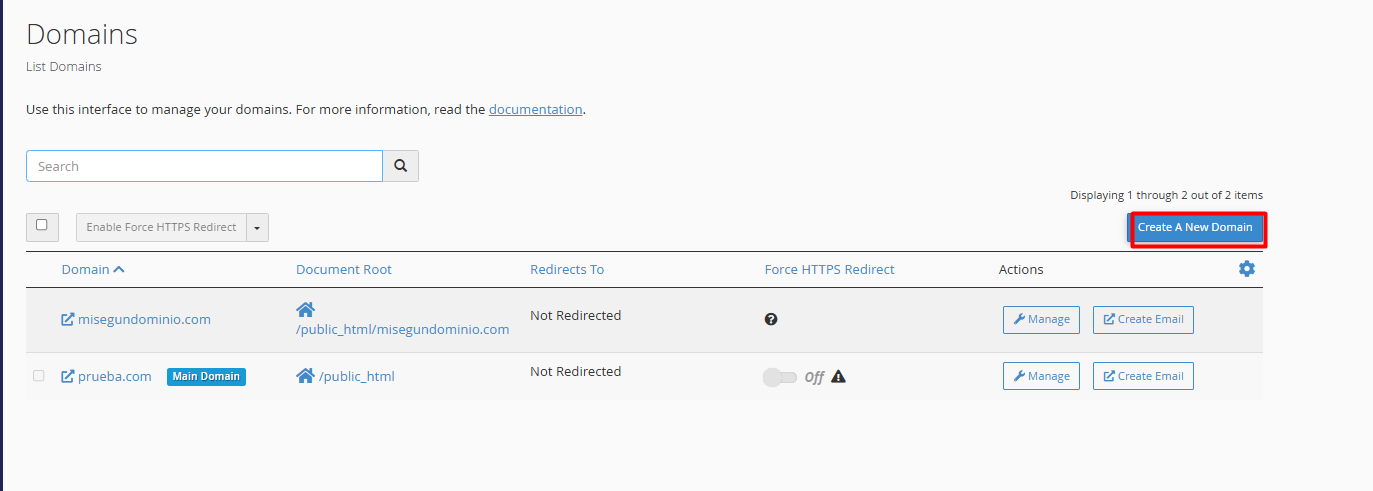
3. Click the "Create A New Domain" button (usually located in the upper right corner).
 

domain4.png


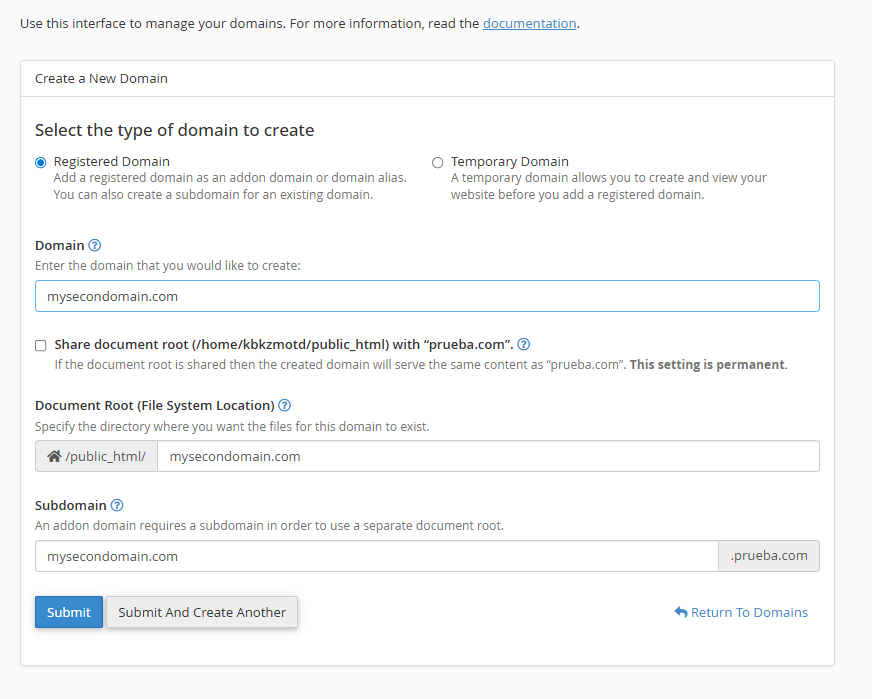
4. Configure the technical details:


4.1. Enter your domain (Exmaple:  , newdomain.com) without prefixes like www or https.
 

domain1.png


4.2. Uncheck the "Share document root" box. This allows the domain to function independently with its own folder.


4.3. The system will automatically suggest a folder within public_html. We recommend leaving it as is to keep your files organized.


Click "Submit" to complete the setup.

Note: The domain must be registered and assigned with the DNS assigned to the corresponding server.


  • 0 Users Found This Useful
Was this answer helpful?

Related Articles

What is a domain?

  A domain is the unique address that represents your brand or product, which people type into...

What are DNS records and what are they for?

  DNS records are small configuration instructions that act as your domain's "GPS." Their main...

How to create a subdomain in cPanel ?

A subdomain is a strategic tool that allows you to organize and prioritize your digital ecosystem...

How to create or manage DNS records in cPanel?

  Configuring your DNS records is a straightforward process that you can perform directly from...

How can I redirect a domain from cPanel?

  To redirect traffic from a domain to an external or internal URL, you must use the Redirects...