How can I connect remotely to my database from cPanel?

Enabling remote access allows you to manage your databases using external tools like MySQL WorkbenchHeidiSQL, or from applications hosted on other servers. To ensure a successful and secure connection, follow these steps:


  1. Authorize your connection (Remote MySQL): For security reasons, hosting servers block all external connections by default. You must "open the door" for your specific IP address:
 

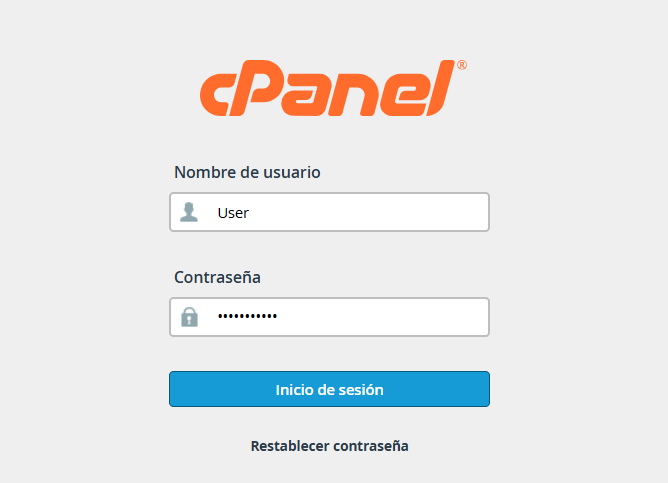
1. Log in to your cPanel account.


1.2. Locate the Databases section and select the Remote MySQL tool.

 

rem.png


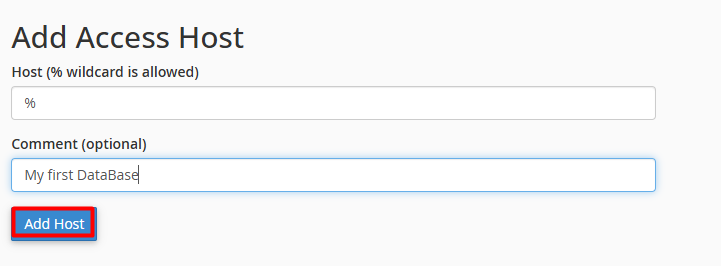
1.3. In the Host field, enter the public IP address of the connection you will be using to access the server.
 

rem1.png

Click Add Host.

 
Note: If your IP is dynamic or you require full access (not recommended for security reasons), you can use the percent symbol (%) as a wildcard to allow any connection (we will use this for example purposes only).


2. Gather your access credentials
 
 
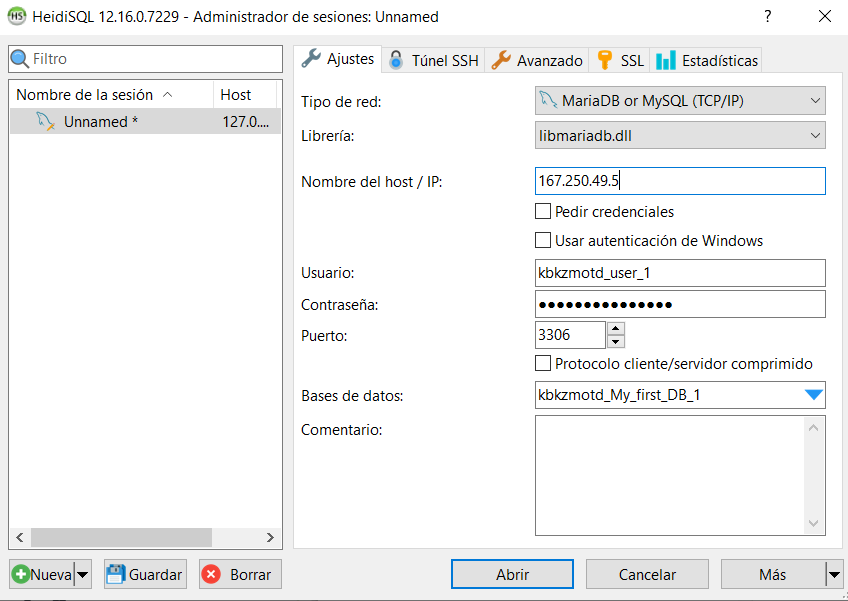
2.1. To configure your client software (such as HeidiSQL or MySQL Workbench), you will need the following technical details:


Server / Host: Your domain name ( yourdomain.com) or your server's IP address.


Port: The default port is 3306.


Username: The user you created and assigned to the database in cPanel.


Password: The password linked to that specific user.


Database: The exact name of the database (including your cPanel username prefix).


3. Software Configuration
 
 
In this case, we will demonstrate the initial connection in HeidiSQL:
 

Enter your access details into the corresponding fields, ensuring each parameter matches your server configuration. Once the form is complete, click the "Open" button.
 
 
rem2.png


Note: Verify that your local network or firewall is not blocking outgoing traffic through port 3306. If all the information is correct and you still cannot connect, the port may be restricted at the corporate network level.
 
  • 0 Users Found This Useful
Was this answer helpful?

Related Articles

How to Assign a User to a Database?

User assignment is a critical security measure that allows for the management of external...

How to create a database user in cPanel?

To create a new database user, please follow these steps: 1. Enter your administrative...

Create a Database using the Database Wizard

Using the MySQL Database Wizard is the most efficient and direct way to set up your data. This...

How to Create a Database in Manage My Databases

The creation of a database is a fundamental process for the operation of web applications and...

How can I manage user permissions in my database?

To enable a user to create, modify, or delete content within a database, it is essential to...