How do I update my contact information and notification preferences in cPanel?

It is essential to keep your contact email updated in your control panel to receive critical alerts regarding account security, SSL certificate status, or disk quota limits.
 
To manage your details and personalize your alerts, please follow these steps:
 

1.Log in to cPanel using your credentials.
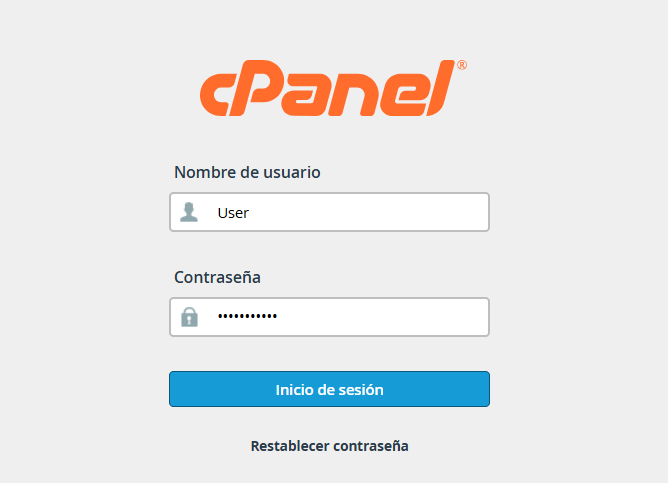
access.png

2.Go to the upper-right corner of the interface and click on your username or the profile icon.

menu usuario.png

3.From the dropdown menu, select the option labeled "Contact Information."
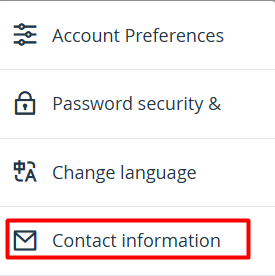
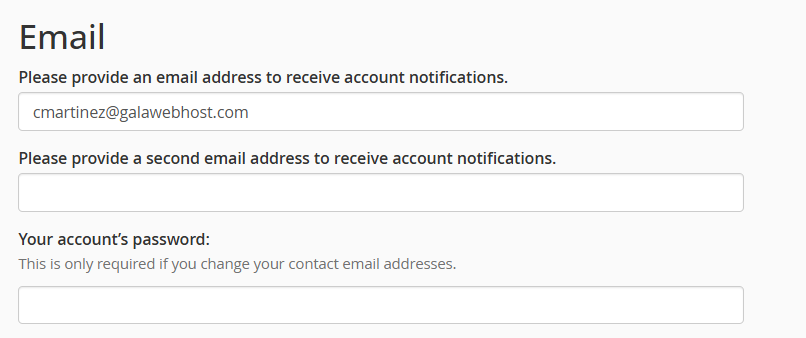
4.Update your email addresses:

4.1.Primary Email: Enter the address where you wish to centralize all communications.

4.2.Secondary Email: (Recommended) You may add an alternative account to ensure you receive alerts if you lose access to your primary one.
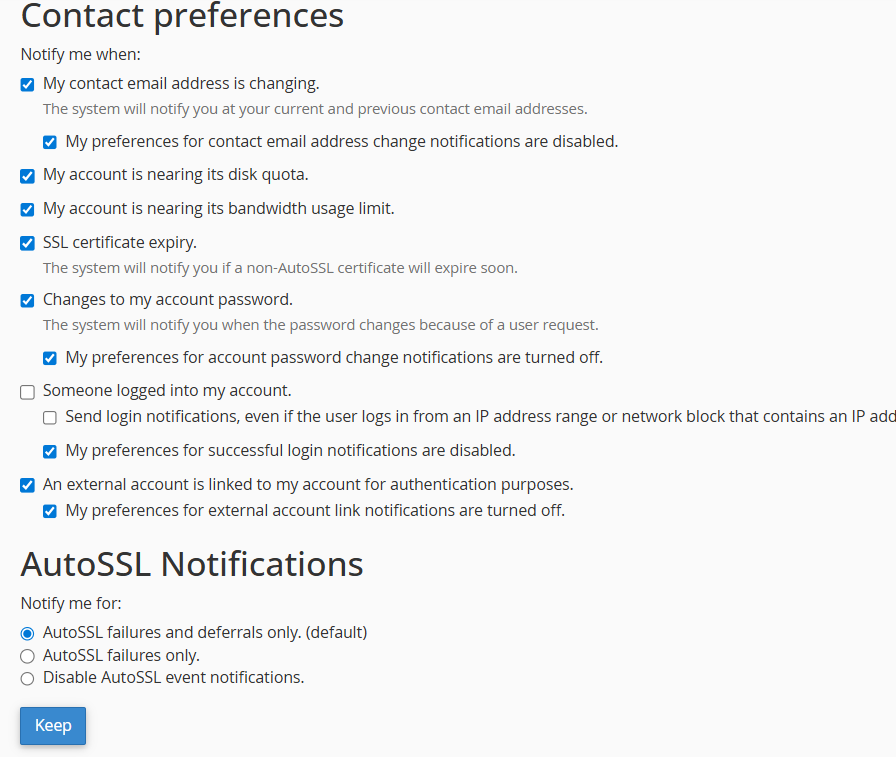
5.In the list below, you can check or uncheck the boxes according to the types of alerts you wish to receive (e.g., quota exceeded warnings, password changes, or backup failures).

Once configured to your preference, scroll to the bottom of the page and click the "Save" button to apply the updates.
Note: It is recommended to use an external email address (such as Gmail, Outlook, or Yahoo) to ensure you receive alerts even if your primary mail server encounters an issue.
 
  • 0 Users Found This Useful
Was this answer helpful?

Related Articles

How can I update my cPanel access password?

To maintain the integrity and security of your service, you can quickly modify your access...

How to Change Your cPanel Language

If you wish to manage your account in your native language, you can modify your control panel's...