
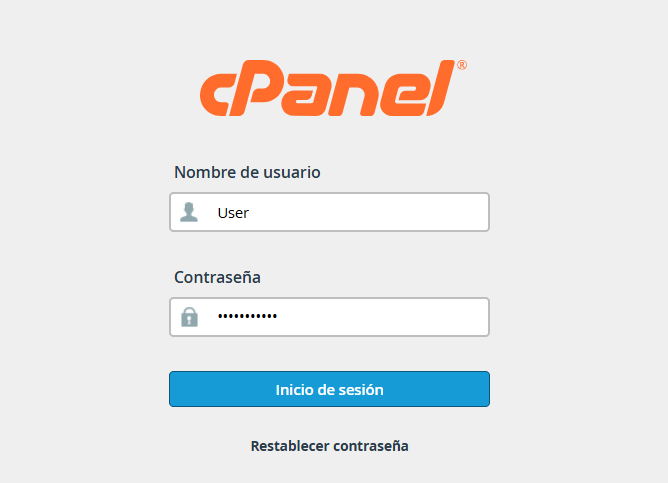
1. Log in to your cPanel.
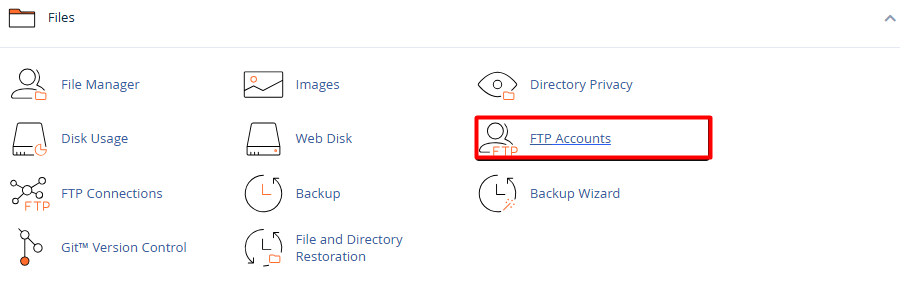
2. Go to the Files section and select the FTP Accounts icon.
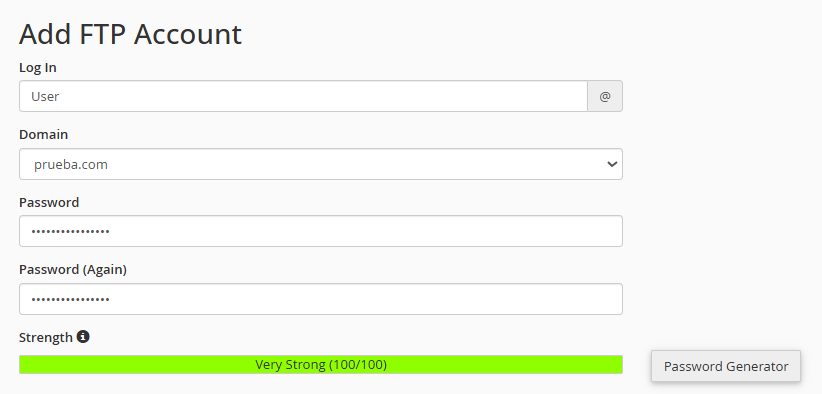
3. Configure the credentials: In the Add FTP Account form, complete the following information:
3.1. Login: Define the name (example, collaborator). Your final account will be user@yourdomain.com.
3.2. Domain: Select the corresponding domain if you manage multiple sites.
3.3. Security: Enter a strong password or use the built-in Password Generator.
4. Define permissions and limits: Directory (Path) – Key point! Determine which folder the user will have access to.
4.1. For full access: public_html.
4.2. For a specific folder: public_html/folder-name.
4.3. Quota: Assign the space limit in megabytes (MB) or select Unlimited according to your needs.

5. Click Create FTP Account. The new access will immediately appear in the list below, where you can obtain the configuration data for clients like FileZilla or edit the password in the future.
