How to Create a Database in Manage My Databases

The creation of a database is a fundamental process for the operation of web applications and Content Management Systems (CMS). To perform this procedure correctly, please follow these instructions:


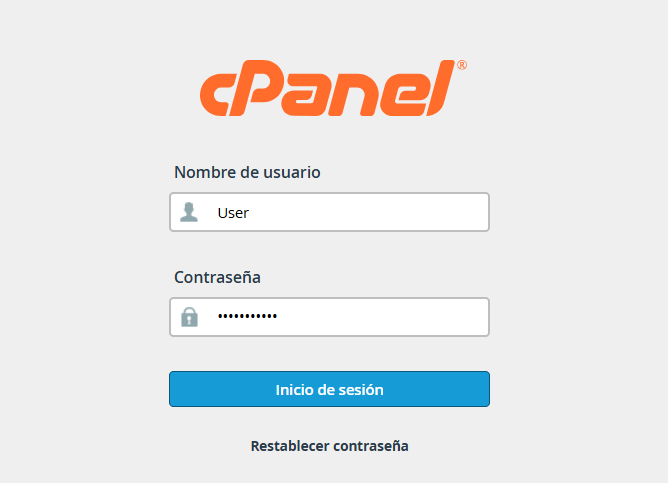
1. Access your cPanel dashboard using your administrative credentials.


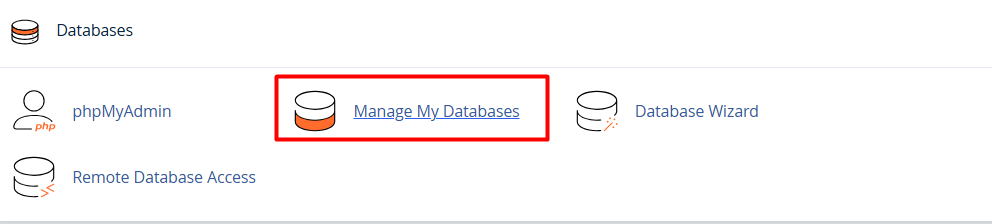
2. Find the "Databases" section and select the "MySQL® Databases" option (or "Manage My Databases," depending on your interface theme).


3. In the "Create a New Database" section, enter a representative name for your database in the corresponding text field.
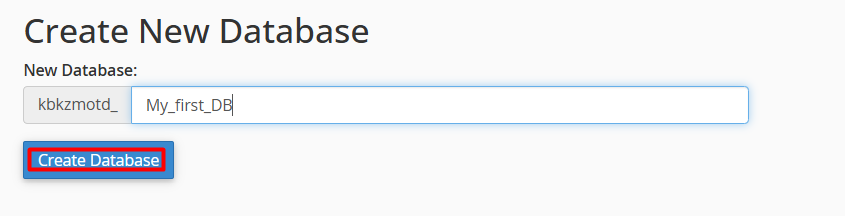


4. Click the "Create Database" button. The system will confirm that the database has been successfully generated.

Note: Once the database is created, you must create a MySQL user and assign the necessary privileges so that your application can connect and manage information correctly.
 
  • 0 Users Found This Useful
Was this answer helpful?

Related Articles

How to Assign a User to a Database?

User assignment is a critical security measure that allows for the management of external...

How to create a database user in cPanel?

To create a new database user, please follow these steps: 1. Enter your administrative...

Create a Database using the Database Wizard

Using the MySQL Database Wizard is the most efficient and direct way to set up your data. This...

How can I connect remotely to my database from cPanel?

Enabling remote access allows you to manage your databases using external tools like MySQL...

How can I manage user permissions in my database?

To enable a user to create, modify, or delete content within a database, it is essential to...